
The best online coding practice tests for kids combine adaptive assessments that match your child’s skill level with instant feedback and clear progress tracking, turning evaluation into an engaging learning experience rather than just a quiz. As a parent, you’re looking for more than just scores. You need a platform that helps identify where your child excels, spots knowledge gaps before they become frustrating, and keeps young coders motivated without adding pressure.
Practice tests serve a different purpose than coding courses or creative projects. While tutorials teach new concepts and open-ended challenges spark imagination, structured assessments help children consolidate what they’ve learned and build confidence through measurable wins. Think of them as checkpoints on a learning journey, not the destination itself.
The challenge? Not all practice platforms are created equal. Some overwhelm beginners with advanced syntax questions. Others present boring, repetitive drills that kill enthusiasm faster than any bug in the code. The right choice depends on your child’s age, current coding experience, and whether they thrive on competition or prefer self-paced mastery.
This guide walks you through what actually matters when choosing a practice platform. You’ll learn which features separate effective tools from time-wasters, how different test formats compare, and which approach fits various age groups and learning styles. Just as practice tests for power engineers serve professionals in technical fields, coding assessments help young learners master their craft. We’ll also cover common mistakes parents make when selecting these resources, so you can support kids’ coding interest without accidentally derailing it.
What to Look for in Online Coding Practice Tests
Age-Appropriate Content and Progression
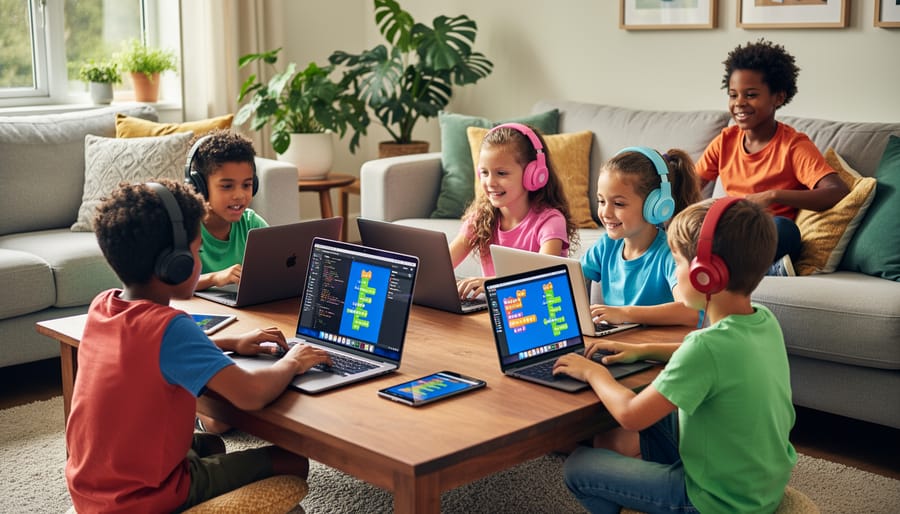
The best coding practice tests grow with your child rather than forcing them into a one-size-fits-all approach. For children under 8, look for platforms that rely entirely on visual, drag-and-drop block coding, think colorful puzzle pieces that snap together. At this stage, the interface should feel like play, with large buttons, minimal text, and immediate visual feedback when code runs.
As kids reach 8-10 years old, quality platforms introduce hybrid experiences: blocks that reveal their text-based equivalents, or side-by-side views showing how a visual command translates to actual code. This bridge matters tremendously, since research comparing block-based vs text-based approaches shows that gradual transitions help children retain concepts better than sudden switches.
By age 11 and beyond, teens ready for text-based languages need platforms offering Python, JavaScript, or similar real-world tools, but still with scaffolding like syntax hints and error explanations, not just cryptic messages. Watch for adjustable difficulty settings and skill assessments that place your child at the right starting point rather than the beginning every time. The worst mismatch? A frustrated 7-year-old staring at text code, or a capable 14-year-old bored by overly simplistic blocks.
Engagement Features That Keep Kids Motivated
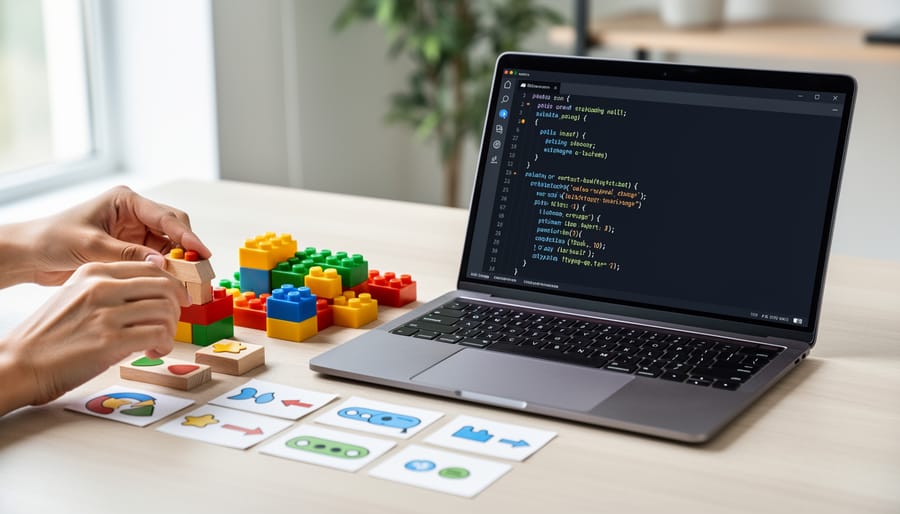
The difference between a practice test that your child eagerly returns to and one that collects digital dust often comes down to engagement design. Research shows that game-based learning improves motivation and retention, which is why the best platforms build their testing around elements that feel more like play than assessment.
Look for platforms that include:
- Achievement badges that celebrate milestones beyond just completing tests
- Visual progress dashboards where kids can watch their skill tree grow
- Story-driven challenges that frame coding problems within narratives
- Creative project opportunities that let children apply what they’ve practised
- Safe peer-sharing features where students can showcase their work and learn from others
Instant feedback matters tremendously. When a child submits code, they should immediately see what worked, what didn’t, and why, with explanations that teach rather than simply mark wrong answers. The most effective platforms celebrate effort and improvement, not just correct solutions, helping children view mistakes as learning opportunities rather than failures. This approach builds confidence alongside competence, keeping frustration low and curiosity high.
Meaningful Feedback and Learning Support
The best practice platforms treat mistakes as learning opportunities rather than failures. Look for systems that explain *why* code doesn’t work, not just that it failed. Quality feedback might show which line caused an error, explain the logic flaw in plain language, and suggest a concept to review, without simply handing over the solution.
Effective hint systems scaffold learning by offering progressively detailed clues. A first hint might ask a guiding question (“What happens to this variable inside the loop?”), while subsequent hints provide more direction if needed. This approach builds problem-solving skills rather than creating dependency on answers.
Beyond automated feedback, consider platforms with human support. Access to instructors, mentors, or peer communities transforms isolated practice into collaborative learning. When kids can ask “I don’t understand why this happens” and receive personalized explanations, they develop deeper conceptual understanding. Community forums where children see how others approached the same challenge also normalize struggle and celebrate different problem-solving strategies.
The goal is platforms that help children think like programmers, understanding patterns and principles, rather than just memorizing which commands produce which results.

Safety, Privacy, and Parental Controls
When your child practices coding online, they’re entering digital spaces that collect personal information and may include interactive features. Start by reviewing each platform’s privacy policy, specifically whether they comply with COPPA (Children’s Online Privacy Protection Act) and how they handle student data. Quality platforms never sell children’s information or display targeted advertising.
Check what communication features exist. Some platforms include forums or chat functions where kids interact with peers or mentors. These can enrich learning, but they need moderation and reporting mechanisms. Look for platforms that don’t allow direct messaging between students or that require parental approval for community access.
The best platforms provide parent dashboards that show your child’s progress, time spent, and completed challenges without requiring constant supervision. You want visibility that helps you support learning, knowing when to celebrate victories or offer encouragement, without micromanaging every practice session. Strong parental controls let you adjust privacy settings, limit screen time, and choose whether your child’s work appears publicly.
Don’t assume paid platforms automatically mean better safety. Free platforms from reputable educational organizations sometimes have stronger protections than commercial services.
Pricing Models and Value for Money
Understanding pricing structures helps you invest wisely in your child’s coding education. Most platforms offer monthly subscriptions ($10-30) or annual plans with 20-40% savings. Free tiers work well for exploring basics, but paid versions unlock progress tracking, personalized feedback, and premium content that significantly enhance learning.
Family or multi-child plans often cost just $5-10 more than single subscriptions, excellent value if you have multiple learners. Watch for hidden costs like required equipment or separate fees for certificates.
Good value means more than low price. A $20 monthly platform with quality feedback, responsive support, and regular content updates beats a $5 option with outdated challenges and zero guidance. Compare what you get: Does the platform include instructor access? Community features? Creative project opportunities? The best investment combines effective practice with engagement that keeps your child coming back willingly.
Types of Online Coding Practice Tests Compared
Game-Based Practice Platforms
Game-based practice platforms disguise coding tests as adventures where kids control characters, solve puzzles, or build virtual worlds through code. Instead of facing a traditional quiz interface, children might guide a robot through a maze using sequence commands or cast spells by debugging code blocks. These platforms typically use drag-and-drop visual programming, so kids as young as six can start without typing syntax.
The immediate visual payoff matters most here. When a child corrects their loop structure, their character instantly moves or the game world responds. This tight feedback loop keeps younger learners engaged far longer than traditional testing formats. Many game-based platforms adapt difficulty on the fly, presenting harder challenges only after kids master current concepts, which prevents frustration.
The trade-off? Game-based platforms sometimes prioritize entertainment over depth. They’re excellent for building foundational logic and problem-solving confidence, but kids may eventually outgrow the game wrapper. Consider these platforms as an entry point that makes coding practice feel like playtime rather than a permanent testing solution.
Project-Based Assessment Tools
Project-based assessment tools flip the traditional test model by asking children to create something real, a game, animation, or interactive story, then evaluating how they solved the problem. Instead of multiple-choice questions about syntax, these platforms assess whether the code actually works, how elegant the solution is, and whether the child demonstrated creative thinking.
This approach suits kids who thrive on making things and need a tangible outcome to stay motivated. They see their quiz or ball-bounce game come to life, then receive feedback on improvements: “Your character moves, but try using loops to make your code shorter” or “Great animation! Here’s how variables could track the score.”
The best project-based tools provide starter templates and guided challenges that scaffold complexity, early projects might ask kids to modify existing code, while advanced ones require building from scratch. Look for platforms that celebrate multiple valid solutions rather than demanding one “correct” answer, and that balance technical feedback with encouragement for creativity. These work beautifully alongside structured instruction, letting children apply what they’ve learned in ways that feel more like play than testing.
Competition-Style Challenge Platforms
Competition-style platforms recreate the intensity of coding competitions, presenting timed puzzles, algorithmic challenges, and leaderboards that rank performance against peers. Think platforms like CodeCombat’s multiplayer arenas or HackerRank’s youth tracks, environments where kids solve progressively harder problems under time pressure.
These platforms suit competitive, goal-oriented children (typically ages 12 and up) who thrive on measurable achievement. The structured challenge format teaches efficient problem-solving, introduces computer science concepts like algorithms and data structures, and builds confidence through earned rankings.
However, this approach isn’t for everyone. The competitive atmosphere can frustrate kids who need more time to process concepts or who prefer collaborative learning. Time pressure might encourage quick solutions over thoughtful code quality. Some children interpret leaderboards as discouraging rather than motivating.
Best practice: Use competition platforms as supplements, not primary learning tools. They’re excellent for sharpening specific skills and preparing for future computer science pathways, but shouldn’t replace comprehensive instruction and creative project work that build deeper understanding.
Curriculum-Aligned Testing Systems
Curriculum-aligned testing systems function like educational checkpoints, measuring whether your child has mastered specific skills before progressing to the next level. These platforms typically complement formal coding courses by tracking objectives, loops, conditionals, functions, debugging, against established learning frameworks. The tests feel less like games and more like quizzes, often generating detailed progress reports that show exactly which concepts your child understands and which need more practice.
This structure works brilliantly when paired with quality instruction. For instance, after your child completes a lesson on variables through a program like ESDNL’s, a curriculum-aligned test confirms they can actually apply that knowledge independently. The platform identifies gaps that might otherwise go unnoticed, allowing instructors to provide targeted support.
The key strength here is accountability and structure. You’ll see precisely where your child stands against grade-level expectations, making these systems invaluable for homeschoolers or parents supplementing school learning. However, they shine brightest when integrated with programs that also help children learn to innovate and create beyond tests, balancing assessment with the creative exploration that makes coding genuinely exciting for kids.
Our Top Recommendations for Different Needs
Best for Beginners (Ages 6-9)
Young children need practice platforms that feel more like play than testing. Look for environments where coding concepts appear as colorful blocks they can drag and drop, with characters that respond instantly to their commands. The best beginner platforms offer short challenges, think three to five minutes rather than lengthy problem sets, so kids experience quick wins before their attention wanders.
ScratchJr and ‘s early courses excel here because they use visual storytelling. Kids make a cat dance or navigate a maze, and the “test” happens naturally as they debug why their character won’t move. Instant visual feedback matters more than scores at this age. When something doesn’t work, helpful animations or friendly prompts guide them toward solutions without making them feel wrong.
Avoid platforms that emphasize leaderboards or complex achievement systems. Six-to-nine-year-olds respond better to collecting virtual stickers or unlocking new characters than tracking performance metrics. The goal is building confidence and curiosity, not competition.
Best for Intermediate Learners (Ages 10-13)
For 10- to 13-year-olds who’ve outgrown block-based drag-and-drop but aren’t quite ready for pure text coding, look for platforms that offer a smooth transition between both worlds. CodeCombat excels here by letting kids write real Python or JavaScript while playing through RPG-style levels, making syntax feel less intimidating. Scratch’s more advanced projects combined with ‘s text-based courses create a natural progression path.
The sweet spot for this age group is platforms that adapt challenge difficulty based on performance, preventing both boredom and frustration. Choose systems that offer multiple problem-solving approaches rather than a single “correct” answer, building creative confidence. Projects should feel increasingly sophisticated without overwhelming, think building simple games, animating stories, or creating interactive quizzes.
Watch for platforms that introduce debugging as a skill rather than treating errors as failures. At this stage, kids benefit from hints that guide thinking rather than just showing solutions, helping them develop genuine problem-solving muscles they’ll use throughout their coding journey.
Best for Advanced Students (Ages 14-16)
Teens aged 14-16 need platforms that mirror real-world programming environments and prepare them for computer science pathways. Look for systems that support multiple languages, Python, JavaScript, Java, C++, so your teenager can explore different domains and build a versatile skill set. The best advanced platforms present algorithmic challenges, data structure problems, and debugging exercises that colleges and employers actually value.
HackerRank and LeetCode offer age-appropriate problem sets that build competitive programming skills, though their interfaces assume comfort with text editors and terminal commands. CodeWars gamifies advanced challenges through a belt-ranking system that appeals to achievement-oriented teens. For teenagers interested in web development specifically, Frontend Mentor provides real design specifications and peer code reviews.
The key differentiator at this level isn’t just difficulty, it’s authenticity. Choose platforms where your teen writes production-style code, reads documentation independently, and solves open-ended problems with multiple valid solutions. ESDNL’s advanced classes complement practice platforms by providing mentorship and collaborative projects that contextualize these technical skills within creative, community-focused applications. Practice tests alone won’t sustain motivation; combining them with meaningful projects and peer interaction keeps advanced learners engaged.
Best for Community and Support
Coding practice tests become significantly more effective when children have access to mentors and peers who can help them work through challenges. Look for platforms that include discussion forums where kids can ask questions, share their solutions, and learn from others’ approaches. The best community-focused platforms offer regular office hours with instructors, collaborative problem-solving sessions, and opportunities to showcase projects beyond individual test completion.
Programs that combine structured practice with community support, like coding clubs, hackathons, and peer review sessions, help children develop the communication skills essential for real-world programming. When kids can explain their code to others or debug collaboratively, they deepen their understanding far beyond what solitary practice tests achieve. Some platforms facilitate parent communities too, where families share experiences and learning resources.
The most meaningful progress happens when practice testing connects to a supportive learning community that celebrates creative problem-solving over perfect scores. Children who feel encouraged to ask questions and share struggles develop resilience and genuine coding confidence that isolated practice can’t build.

Common Mistakes to Avoid
Choosing Based on Adult Preferences Instead of Child Readiness
The slick interface and impressive feature list that catches your eye might bore or overwhelm your eight-year-old within minutes. When you choose a platform because it “looks professional” or covers languages you think matter most, you risk selecting tools far beyond your child’s current interest or readiness level. Before you enrol in a coding course or commit to a practice platform, sit with your child and explore free trials together. Watch what captures their attention, what makes them lean forward versus zone out. Ask them to try a few practice problems and gauge their reaction, are they excited, confused, or indifferent? The best platform isn’t the one with the most features; it’s the one your child actually wants to return to tomorrow.
Focusing Only on Test Scores Rather Than Understanding
High test scores can create a false sense of mastery, leading parents to fall for common mythologies about teaching coding like believing completion equals competence. When children race through tests to achieve perfect marks without pausing to understand why their code works, they’re memorizing patterns rather than developing problem-solving skills. Watch for platforms that reward speed and accuracy alone without encouraging experimentation or creative solutions. A child who scores 100% by copying examples without modification hasn’t learned to think like a programmer. Instead, look for tests that value multiple solution approaches, reward elegant code, and explicitly assess conceptual understanding. If your child can explain their reasoning and adapt solutions to new problems, that matters far more than a dashboard full of green checkmarks.
Overwhelming Kids with Too Many Platforms at Once
Parents often try to maximize their child’s coding education by signing up for multiple practice platforms simultaneously, believing more resources equal faster progress. This approach typically backfires. Juggling different interfaces, login credentials, and teaching methods creates confusion rather than reinforcement. Children spend mental energy adapting to each platform’s quirks instead of deepening their understanding of coding concepts.
Focus on one well-chosen platform until your child demonstrates genuine mastery and boredom with its challenges. This depth-first approach builds confidence and lets children internalize concepts thoroughly before adding complexity. When kids master one environment, they develop transferable problem-solving skills that make learning a second platform much easier. Quality practice time on a single platform beats scattered attention across several, and children actually enjoy coding more when they’re not constantly relearning how to navigate different systems.
Neglecting the Social and Creative Elements
Many parents focus solely on technical proficiency, choosing platforms that drill syntax and algorithms while overlooking the social and creative aspects that make coding meaningful. Children who only complete solitary practice tests miss out on the collaborative problem-solving, peer learning, and creative expression that transform coding from a skill into a passion.
Look for platforms that encourage kids to share projects, remix each other’s work, or participate in group challenges. The most engaged young coders are those who see their peers’ creations and feel inspired to build something unique. Programs that combine practice testing with community events, collaborative projects, and creative showcases help children understand that coding isn’t just about getting right answers, it’s a tool for bringing ideas to life and connecting with others who share their interests.
Frequently Asked Questions
How often should my child take coding practice tests?
Most children benefit from short, regular practice sessions, 15 to 30 minutes two to three times per week works better than marathon sessions. Consistency matters more than duration, and this rhythm helps reinforce concepts without causing burnout or making coding feel like a chore.
Should we use practice tests alongside a formal coding course?
Absolutely. Practice tests work best when paired with structured instruction that introduces new concepts and provides context. The tests reinforce what children learn in courses while the courses fill knowledge gaps that practice alone might miss, creating a balanced approach to skill development.
Are free platforms good enough, or should we pay for premium features?
Many free platforms offer excellent quality for beginners and casual learners. Consider upgrading to paid options when your child shows sustained interest, needs access to advanced content, or would benefit from personalized feedback and community support features that free tiers typically limit.
How can I track my child’s progress without being overbearing?
Look for platforms with parent dashboards that show completion rates and skill development trends rather than just test scores. Focus on conversations about what your child is creating and learning rather than constantly checking metrics, which helps maintain their intrinsic motivation.
When should we switch to a different platform?
Consider switching when your child consistently finds the content too easy or too hard despite trying different difficulty levels, when they lose interest after giving it a fair try, or when they outgrow the platform’s language offerings. However, mastering one environment thoroughly often beats constantly hopping between platforms.
Can practice tests replace learning from an instructor?
No, practice tests complement instruction but cannot fully replace it. Human instructors provide context, answer nuanced questions, adapt explanations to individual learning styles, and help children understand the why behind coding concepts, elements that automated testing cannot replicate, no matter how well designed.
Beyond these common questions, parents often wonder how to make practice testing feel less like homework and more engaging. The key lies in connecting tests to creative outcomes. When children see practice as preparation for building their own games or projects rather than an end in itself, motivation shifts dramatically. Platforms that blend testing with creation opportunities tend to keep kids engaged longer.
Some families also find success turning practice sessions into a fun review activity by involving siblings or friends in friendly coding challenges. This social element transforms solitary testing into collaborative learning, making the experience more enjoyable while building the kind of peer support that enhances understanding. When children explain their problem-solving approaches to others, they deepen their own comprehension.
Remember that every child responds differently to practice testing formats. Some thrive on immediate feedback and quick challenges, while others need time to think through problems without pressure. Pay attention to your child’s reactions during and after practice sessions. If they eagerly share what they learned or ask to continue, you have found a good fit. If they consistently resist or seem frustrated, the platform or frequency might need adjustment, regardless of how highly rated it is by others.
Choosing the right coding practice test platform comes down to finding that sweet spot where challenge meets encouragement. The best platforms don’t just measure what your child knows, they spark curiosity and make testing feel like play rather than a chore. Remember, practice tests work best when they complement quality instruction, not replace it. A platform might have brilliant content, but if it doesn’t match your child’s personality and learning style, it won’t deliver results.
Don’t underestimate the power of community in this journey. When kids see peers tackling similar challenges, share creative solutions, and celebrate each other’s progress, learning becomes social and fun. That’s why programs combining professional instruction with collaborative practice environments tend to stick better than solo drilling.
At ESDNL, we’ve seen firsthand how coding education thrives when practice feeds into real projects and community connections. The right practice tests should be one piece of a richer learning experience, supporting creative problem-solving and building confidence through achievable challenges. Trust your instincts about what engages your child. If they’re excited to log in and tackle the next challenge, you’ve found the right fit. If it feels like pulling teeth, keep looking. Coding should light up their imagination, not dim it.