
A child can learn to code without a parent cheering them on, and plenty of kids do. The method is simple: find free tools, find a community, and take small steps on your own schedule. Most of it needs nothing more than a screen, a little curiosity, and an hour or two a week.
If your parents aren’t backing your interest in coding, or you’re the teacher or mentor watching a child go without that support, this is a hard spot, and it’s no one’s fault. Some parents are busy. Some feel out of their depth. Some just don’t see what the fuss is about yet. None of that means the door is closed.
Kids build games in free, drag-and-drop block tools, borrow laptops at the library, and join school clubs where an older student or a friendly teacher fills the gap. Online communities welcome beginners every day, and a first project, like a bouncing ball or a silly quiz, can be done in an afternoon.
Below, you’ll find places to learn for free, habits that keep you moving when motivation dips, and kind ways to help hesitant parents see what coding makes possible. Creativity doesn’t need permission, and a community can back you up when home can’t, at least for now.
What ‘No Parental Support’ Really Looks Like
It’s Usually Worry, Not Rejection
When a parent shrugs at a child’s coding project, it can feel like a closed door. But most of the time, the shrug is hiding a worry, not a “no.”
Screen time is the big one. Parents hear constant warnings about kids glued to devices, so it’s natural to wonder whether coding is just more of the same. What’s easy to miss is the difference between scrolling and building. Making a game or animation is closer to drawing or woodworking than watching videos, though that’s hard to see if you’ve never tried it.
Then there’s the unknown. Plenty of parents never learned to code and feel out of their depth. When you can’t picture where a hobby leads, it’s tough to cheer it on with confidence.
Cost matters too. Laptops, software, and classes can sound expensive, especially for a family already stretching the budget. Saying “not right now” can be a way of protecting the household, not dismissing the child.
None of these concerns is unreasonable. They come from care, and that’s a good place to start.
Why It Matters for a Young Learner
When a child gets even a little encouragement, something small but powerful happens. A simple “that looks cool, tell me more” tells them their effort is worth noticing. That feeling is the fuel that keeps a young coder going when a project refuses to work.
Coding is full of moments where things break. A character won’t move, a game crashes, a single missing symbol ruins everything. Kids who feel backed by someone tend to treat those moments as puzzles. Kids who feel alone can quietly decide they’re just not good at this and give up.
That’s why support matters so much, and why it doesn’t have to be technical. A parent doesn’t need to understand a single line of code to say, “I can see you worked hard on that.” Curiosity and kindness do most of the work.
The good news is that encouragement can come from many places. A teacher, a friend, a mentor, or a club leader can all help a child believe they belong in this world. When home support is thin, those voices can carry a lot of weight.
Small Stories of Kids Who Kept Coding Anyway

Picture a girl we’ll call Maya. Her parents work long shifts, and there’s no spare computer at home. But her school library keeps a few laptops on a shelf, and the librarian noticed how often Maya lingered near them. She showed Maya a free block-based coding tool, where you snap colorful blocks together instead of typing code. Within weeks, Maya had built a little animated story about a lost robot finding its way home. She now shares every new scene with the librarian, who cheers louder than anyone.
Then there’s Daniel, a boy who loves video games but whose family wasn’t sure coding was “a real thing.” He didn’t argue. He simply joined an after-school club his teacher mentioned. Surrounded by other kids who were just as curious, he learned to build a simple game where a cartoon fox dodges falling acorns. When one of his characters kept walking through walls, the group helped him hunt down the problem. That’s called debugging, which just means finding and fixing a mistake. For Daniel, the club became a second family, and his confidence grew with every fixed bug.
And meet Jordan, a teenager who taught himself the basics from videos but kept getting stuck. A neighbor who works in a local tech shop noticed his sketches of app ideas and offered an hour each week to look at his work. Nothing fancy, just someone who believed in him and pointed him toward the next small step. Jordan’s first app tracks how often his neighborhood basketball court is free.
These are composite stories, but they reflect something real. Each child had creativity and stubborn curiosity. What made the difference was one caring person or group who opened a door, and the courage to walk through it.
Finding Support Beyond the Living Room
Teachers, Libraries, and Community Spaces
A child doesn’t need a parent who codes to find a door into coding. Often the first one is a person already in their daily life. A teacher might say yes to a lunchtime project, and a librarian can point to free computers and beginner books. A community leader may know about a program nobody advertised. Asking is the hard part, so a simple line helps: “I’m really into making games. Could you help me find a place to learn?”
Educators can make that ask easier by opening the door first. Mention coding in class, post a sign-up sheet, or invite quiet kids to show what they’ve built. Programs built on charitable partnerships can also help bring costs down for families.
| Support source | What it offers | Typical cost | How to start |
|---|---|---|---|
| Teachers | Guidance and encouragement | Free | Ask after class |
| Libraries | Computers, books, quiet space | Free | Chat with a librarian |
| After-school programs | Hands-on, guided learning | Low to moderate | Ask your school or community center |
| Online courses | Self-paced, instructor-led lessons | Varies | Explore kid-friendly options |
Even one friendly adult saying “I’m glad you’re curious” can keep a child building.
After-School Tutoring and Educational Field Trips
When a child doesn’t have a coding mentor at home, a structured program can become that missing piece. After-school tutoring gives young learners a regular, welcoming place to practice, ask questions, and build projects alongside kids who share their curiosity. Instead of struggling alone, they get friendly guidance and a steady rhythm of hands-on creating.
Field trips add a different kind of spark. Visiting a tech space lets children see how code shows up in the real world, from robots to games to apps, and meet people who build them. That moment of “I could do this too” can stay with a child for years.
At ESDNL, community initiatives like these are built around creativity and belonging, so no child feels left out because of what’s missing at home. Programs that blend extracurricular tech with real connection show kids that a whole community is cheering them on.
Online Courses Designed for Kids
When nobody at home can answer a coding question, a good online course can quietly fill that gap. The best ones for kids are interactive: your child types real code, sees something happen on screen right away, and gets feedback without waiting for anyone to look over their shoulder. A live instructor adds the missing piece. A friendly teacher can spot where a child is stuck, explain it a different way, and cheer on the small wins.
Learning at your own pace matters too. A child can pause a lesson, replay a tricky part, or race ahead when something clicks, all without feeling rushed or embarrassed.
Look for courses that let kids make things they care about, like a simple game, an animated story, or a silly quiz. When the goal is creating something that’s theirs, practice feels like play. Many programs also include a chat or class group, so your child meets other young learners and feels part of a community, even from the kitchen table.
How Kids Can Build Their Own Momentum
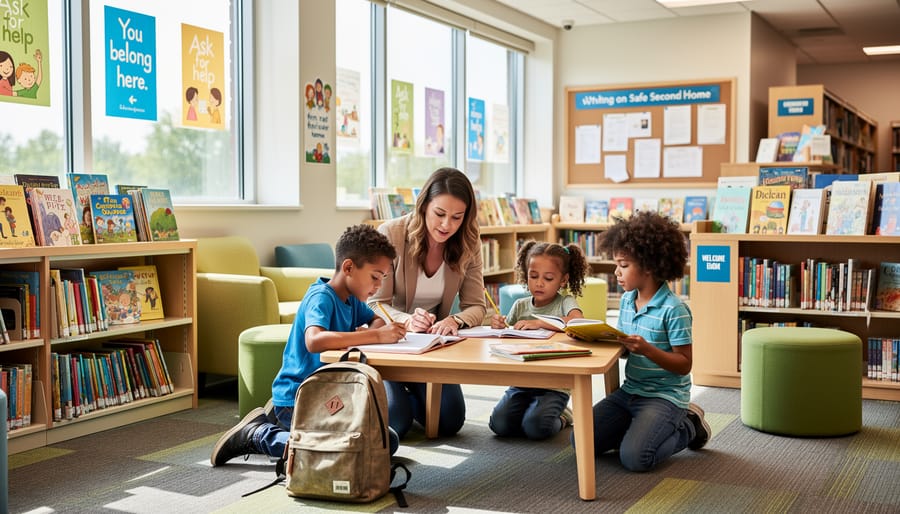
You don’t need anyone standing over your shoulder to get better at coding. Momentum is just a fancy word for taking small steps often enough that they add up. And the best part? You get to choose what you build.
Start with free tools made for beginners. Many of them use block-based coding, which means you snap together colorful puzzle-like pieces instead of typing out commands. It works a bit like building with LEGO bricks, and the pieces only fit together in ways that make sense. You can make a talking cat, a little game, or a drawing machine without typing a single line of code.
Here’s a simple way to get going on your own:
- Pick one fun idea, like a bouncing ball, a quiz about your favorite animal, or a game where a character collects stars.
- Choose a beginner-friendly tool, such as a free block-based coding website, and spend ten minutes just playing with it.
- Build something tiny. Aim for one thing that works, like making a character move when you press a key.
- Show someone, whether that’s a teacher, a librarian, a classmate, or a cousin who’ll say “wow, how did you do that?”
- Pick your next idea and try again, adding one new trick each time.
Along the way, you’ll hit bugs. A bug is just a mistake in your code that makes it act differently than you planned, and every coder on the planet runs into them. Fixing them is called debugging, which is really detective work. Check one piece at a time, ask yourself what you expected to happen, and look for where things went off track. Finding a bug and squashing it is a real win, not a failure.
Try keeping a simple project journal, too. It can be a notebook or a note on a school computer. Write down what you built, what went wrong, and what you want to try next. Flip back after a few weeks and you’ll be amazed how far you’ve come.
Helping Parents Come Around (Without a Fight)
Sometimes the best way to win over a hesitant parent is to show them, not tell them. If you’re a kid, try sharing one small finished project, like a simple game or an animated story, and let them click through it. Seeing something you built tends to answer questions faster than any explanation.
When you do talk about coding, skip the technical words and share what it teaches. Coding builds problem-solving, because you figure out why something isn’t working and try again. It sparks creativity, because you get to invent something from nothing. And it grows patience, because the first attempt almost never works. Most parents recognize those skills right away and care about them.
Invite them in, too. A showcase, an open class, or a quick demo at the kitchen table lets a parent see the fun for themselves without any pressure to understand the details. Even five minutes of watching you explain your own work can change how they feel.
Screen-time worries deserve a real answer, not a brush-off. Offer a plan that shows balance: set time limits, take breaks to stretch or play outside, and mix in offline activities like sketching a game idea on paper before building it. Parents often relax when they see that coding fits into a healthy routine.
Educators and relatives can help gently by sharing a child’s progress in a positive way, such as a kind note about a clever solution or an invitation to a class event. For parents who want to take a bigger part, resources on B parenting support can offer easy, low-pressure ways to cheer a child on, no tech background needed.
Most of all, remember that a hesitant parent is usually a caring one. Patience and warmth go a long way.
Common Questions About Coding Support and Limited Resources
Wondering about the practical side of coding when support at home is limited? These are the questions families, teachers, and kids ask us most.
Can a child learn to code if no one at home knows anything about tech?
Absolutely. Many kid-friendly tools and instructor-led courses are built for beginners, so a child doesn’t need a tech-savvy adult nearby. A teacher, librarian, or club mentor can cheer them on and help when they get stuck.
Does coding require an expensive computer?
Not at all. Simple, block-based tools (where kids snap together colourful pieces instead of typing code) run fine on modest or shared computers, including those at school or the library.
How much screen time is reasonable?
There’s no single magic number, and every family is different. Short, focused sessions with plenty of breaks, outdoor play, and offline time work well, and planning a project on paper first keeps screen time purposeful.
How can we find low-cost or free options?
Start with school clubs, library programs, and community workshops, and ask about sliding-scale or subsidized spots. Many free beginner tools also exist online.
Budget worries come up a lot, and it helps to remember that stretching a family’s dollars is a skill in itself. If you’re already hunting for discounts for families on outings and activities, bring the same resourcefulness to learning. Ask programs about reduced rates, check what your school or community centre already offers, and don’t be shy about asking a teacher to point you toward local options. Most community-minded organizations are glad to help a curious kid find a way in.
Every child’s curiosity deserves room to grow, whether there’s a cheering parent in the next room or not. A kid who tinkers with a first project at the library, in a club, or at the kitchen table is already doing something brave. And no one has to do it alone. Teachers, mentors, librarians, and neighbors can step in and fill the gaps, one small encouragement at a time.
So here’s one simple next step. If you’re a child, show someone you trust what you’ve made. If you’re a parent, ask your child to walk you through their favorite project, even if you don’t understand a word. If you’re an educator, leave your door open and invite a curious student in.
And when you’re ready for more, look into community programs and kid-friendly coding courses that put creativity first. The spark is already there. A caring community can help it become a flame.